> For the complete documentation index, see [llms.txt](https://g4iwnl.gitbook.io/carrotpilot/llms.txt). Markdown versions of documentation pages are available by appending `.md` to page URLs; this page is available as [Markdown](https://g4iwnl.gitbook.io/carrotpilot/readme.md).
# 당근파일럿 가이드
## **당근파일럿 설치 방법**
**Comma 3X 기준**
* Custom Software 클릭
* Enter URL 창이 나오면, **smiskol.com/fork/ajouatom/tr16-e** 입력.
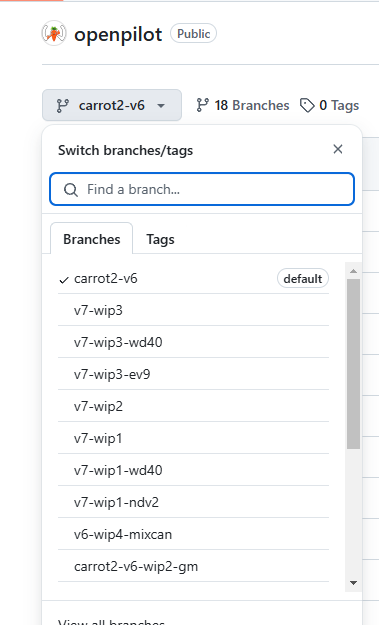
carrot2-xxxx에 해당하는 부분은, 브랜치 상황에 따라 다르므로 [당근마스터님의 깃허브](https://github.com/ajouatom/openpilot) 참고
Branch 목록
* 예를들어, tr16-e 브랜치 설치를 원할 경우, **smiskol.com/fork/ajouatom/tr16-e** 이용.
## 2025.04.07 수정
* 설치주소는 **smiskol.com/fork/ajouatom/tr16-e 대신, 간단하게 ajouatom/tr16-e 만 입력해도 설치됩니다.**
* 설치 완료 후, 영어로 클릭하라고 시키는거 따라서 클릭.
## **당근파일럿의 유용한 기능**
**Radar Tracks: HKG cars only (레이더트랙)**
* 레이더모듈(SCC모듈)에서 레이더의 raw data를 출력하도록 활성화시키는 것입니다.
**만도레이더**를 사용하는 **극히 일부 차량에서만** 작동합니다.
* 레이더트랙이 지원되는 차량의 경우, 배선개조 없이 롱컨기능을 사용할 수 있습니다.
[자세한 설명 보기](/carrotpilot/functions/radartrack.md)
**SCC Wiring Modification Support: HKG cars only (SCC 롱컨 개조)**
* 레이더(SCC)모듈의 배선을 개조하여 BUS2에 연결한 경우, 롱컨을 지원합니다.
* **배선개조를 해야하는 이유**
* 주행성능이 뛰어나고 SCC에 비해 안정감이 좋음.
* 주행튜닝을 통해 입맛에 맞게 주행감을 조절 가능.
* 콤마 비젼과 레이더를 함께 사용하여 정지차량에 대하여 반응.
* 신호등에 반응하여 출발 정지가 가능.
* 자유로운 속도조절 가능.
* 순정의 안전관련기능(AEB[^1], FCW[^2]등)을 모두 활용가능.
배선개조 방법 - [HDA1](/carrotpilot/longcontrol/hda1.md) [HDA2](/carrotpilot/longcontrol/hda2-26.md)
**연비 모드**
* 다양한 주행 모드( 연비 / 안전 / 일반 / 고속) 모드 중, **연비모드**를 사용할 수 있습니다.
* 원하는 속도보다 일정 속도만큼 추가로 더 가속한 후, 엑셀을 Release 상태로 만들어 하이브리드 차량의 경우에는 EV모드를 빠르게 진입하도록 유도하고 순수 내연기관 차량의 경우 타력주행을 하여 **연비를 상승시키는 효과**를 냅니다.
**Carrot UI ( 당근 UI )**
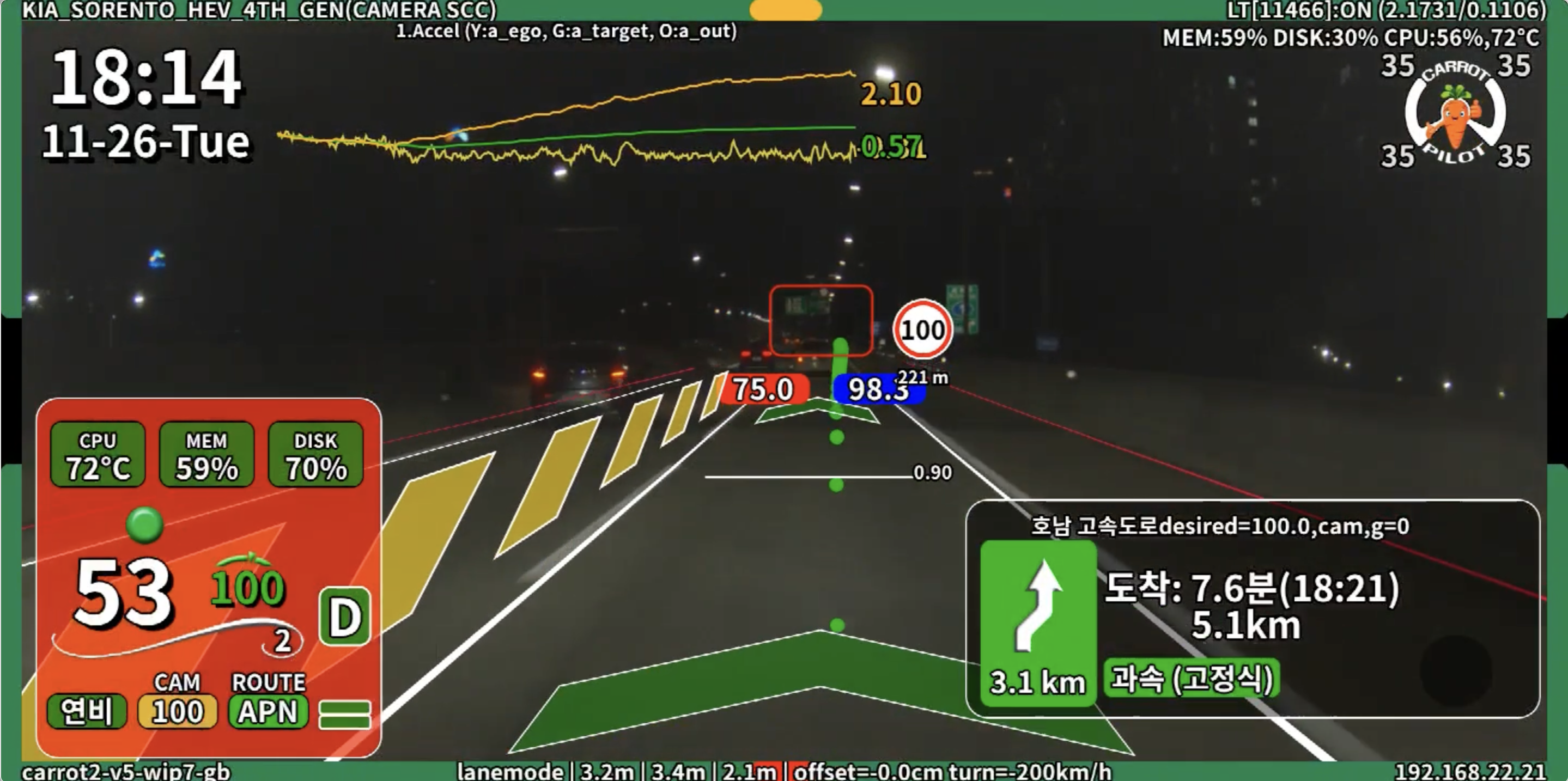
* 당근파일럿만의 **다이나믹한 UI**를 사용할 수 있습니다.
* 레인모드, 레인리스모드, 크루즈 OFF 등 다양한 상황에 따라 **경로표시 방식 및 색상**을 바꿀 수 있습니다.
**APM: CarrotMan for Android (안드로이드 당근맨 앱)**
* 안드로이드 폰이나 태블릿에서 사용할 수 있는 당근파일럿 전용 앱 입니다.
* 핫스팟으로 안드로이드 폰과 콤마를 연결시켜주고, 당근맨 앱을 실행하면 콤마의 좌측 하단에 **APM** 표시가 됩니다.
* 당근파일럿의 모든 설정을 **당근맨**을 통해 설정 가능합니다.
**APN: Korea navigation only (네비게이션 연동)**
* 현재는 Tmap만 지원합니다.
* 당근맨과 당근파일럿 전용 네비게이션 앱을 사용해 콤마에 실시간으로 경로, 과속카메라, 과속방지턱 정보를 전송해 크루즈 속도 조절에 사용합니다.
* 경로가 전송되는 상태이면, 콤마 화면의 좌측 하단에 **APN** 표시가 됩니다.
## **당근네비 & 당근맨 앱 다운로드 방법**
1. [당근파일럿2 **디스코드**](https://discord.gg/DKpgnpgYQm)**에 가입**합니다.
2. **닉네임을 변경**합니다. ( 닉네임 / 차량정보 / 순정여부 )
차량정보예시 : Sorento MQ4 HEV / Sorento PE HEV
순정여부예시 : 롱컨 / 비롱컨 / 비전롱컨
3. **당근마스터님을 멘션** 후, 권한을 요청합니다.
4. 디스코드 채널목록에 **당근-앱 이라는 채널**에 들어가 앱을 다운로드 합니다.
[**당근네비 & 당근맨 설치 + 권한주기 방법**](/carrotpilot/basic-settings/carrotapp.md#undefined)
[^1]: Autonomous Emergency Braking : 자동긴급제동
[^2]: Forward Collision Warning : 전방추돌경고